
Foxiz provides an easy way to display related posts automatically without additional plugins. Follow the steps below to enable and customize the related posts feature using the built-in Theme Options.
Enable Automatically Related Posts
- Log in to your WordPress dashboard.
- Navigate to Theme Options → Single Post → Related and Popular.
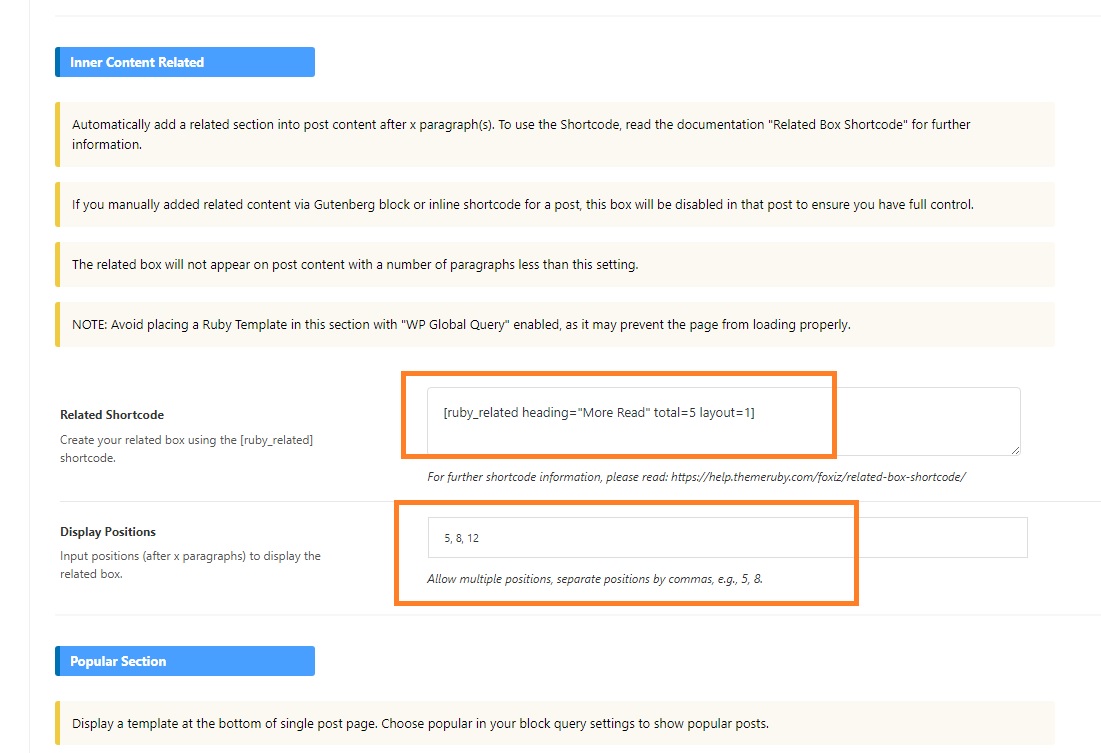
- Choose a related layout and set the total number of posts using the Ruby Related shortcode.
- To learn more about using this shortcode, refer to the documentation:
Related Box Shortcode Guide. - Select the position where you want to display related posts. You can specify positions such as 5, 8, 7.
Multiple positions can be set, separated by commas.
Example of how the related posts settings:
That’s all! Enjoy using the Foxiz theme.
