
The Related box is a shortcode that allows you to add a section(to show related posts) into the post content.
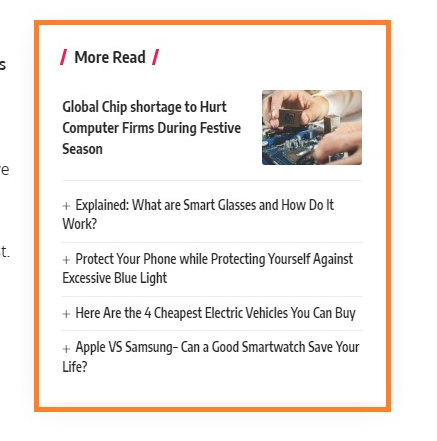
To create a box, Follow the steps below:
- Navigate to the post editor.
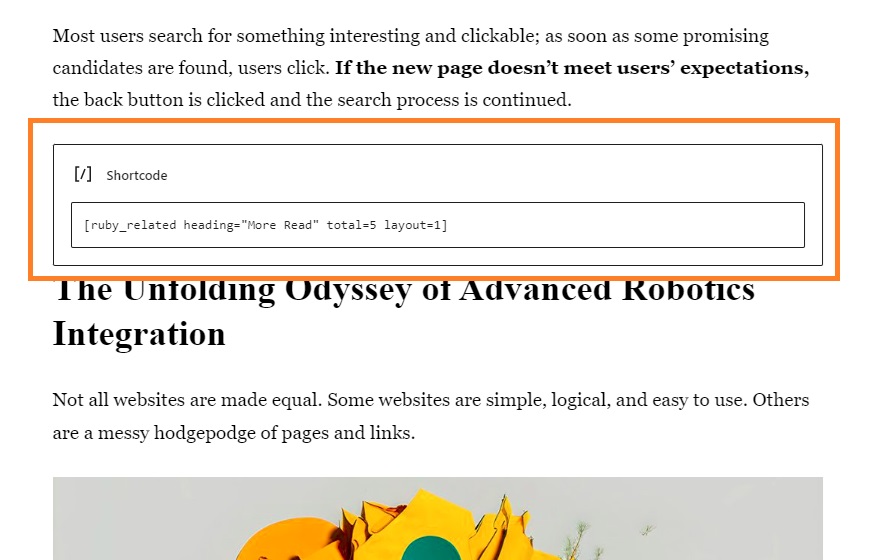
- Add a shortcode box and then input the related shortcode. For example:
[ruby_related heading="More Read" total="5" layout="1"]
Shortcode Parameters:
layout– (optional) the layout for the post listing. Allowed values:1,2,3,4,5,6heading– the box title. You can leave it blank to disable the heading.heading_tag– the HTML tag for the heading. Allowed values:h2, h3, h4, h5, h6, p, spanheading_layout– (optional) the layout of the heading. Supports all heading layouts. Allowed values:1,2,3,4,5,6,7,8,9,10...., c1,c2,c3...c11where– (optional) determines how related posts are selected. Allowed values:all, tag, category. Leave it blank to retrieve related posts from both categories and tags.ids– (optional) specify exact post IDs to display, separated by commas. Example:101,102,103order– (optional) choose the order of posts. Allowed values:rand, relevance, date, modifiedtotal– (optional) total number of posts to display.style– (optional) the style for related posts. Allowed values:border, plain, shadow. Leave it blank to use the default shadow style.width– (optional) the width of the related box. Allowed values:right, wide. Leave it blank for default half-right width.
Shortcode example:
[ruby_related heading="More Read" total="4" layout="1"]
How does the shortcode work?
The related box shortcut will automatically get posts from the same categories and post tags to show. It will be overridden if you input the posts IDs.
