
The Jetpack Top Posts feature displays the top-performing articles based on statistics collected by the Jetpack plugin over the past 24-48 hours. It uses a cached filter, so changes may take some time to propagate.
This feature is only supported for these blocks: (Flex Grid 1, Flex Grid 2, Flex List, Flex Overlay, Podcast Flex Grid, Podcast Flex List, Podcast Flex Overlay)
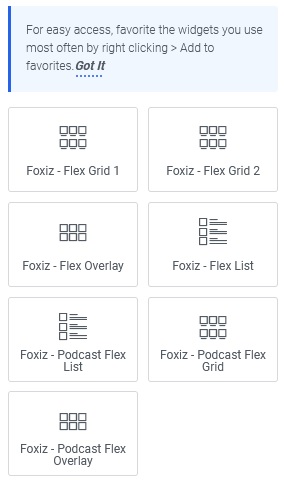
For this option to appear on blocks within Elementor, you need to install and activate the Jetpack plugin first.
To use Jetpack Top Posts, follow the steps below:
- Navigate to Pages > All Pages.
- Select a page you would like to edit or add a new page, and click on the “Edit with Elementor” link.
- The website will redirect to another URL and the panel will appear on the page. Then click the block you would like to edit.
- In the “Content” tab, you will find the option “Jetpack Top Posts”
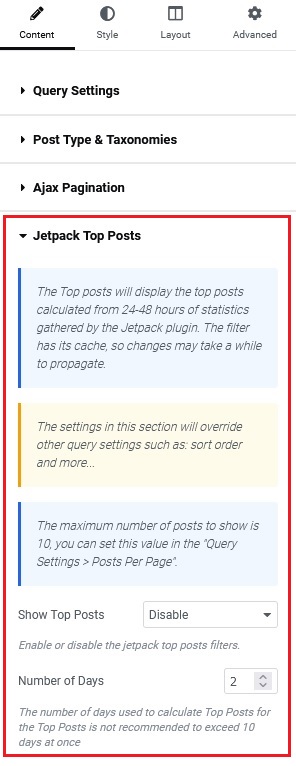
The settings in this section will override other query settings such as: sort order and more…The maximum number of posts to show is 10, you can set this value in the “Query Settings > Posts Per Page“.
- In the “Jetpack Top Posts” section, you will find the option for “Show Top Posts“. Then select “Enable”

- Number of Days: The number of days used to calculate Top Posts for the Top Posts is not recommended to exceed 10 days at once

- Click “Update“
