
The theme supports default schema markup. However, if you are using a third-party SEO plugin that configures advanced SEO structures, the theme provides the settings to optimize your site for SEO, resulting in enhanced visibility on search engines. The goal is to avoid duplicate meta descriptions, manage Schema markup effectively, and prevent potential issues with other SEO tags.
SEO Snippets settings, follow the steps below:
- Navigate to Foxiz Admin > Theme Options > SEO Optimized
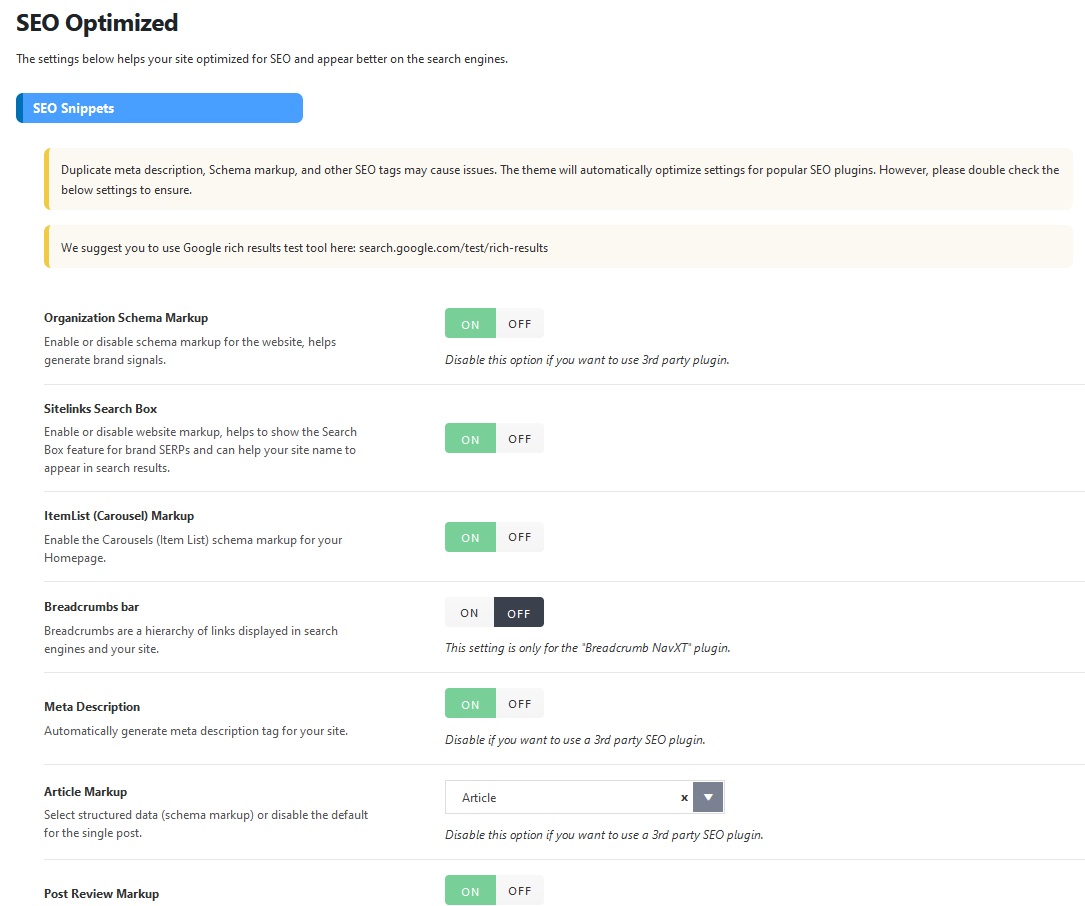
- Organization Schema Markup: Enable or disable schema markup for the website, helps generate brand signals. Disable this option if you want to use 3rd party plugin.
- Sitelinks Search Box: Enable or disable website markup, helps to show the Search Box feature for brand SERPs and can help your site name to appear in search results.
- ItemList (Carousel) Markup: Enable the Carousels (Item List) schema markup for your Homepage.
- Breadcrumbs bar: Breadcrumbs are a hierarchy of links displayed in search engines and your site. This setting is only for the “Breadcrumb NavXT” plugin.
- Meta Description: Automatically generate meta description tag for your site. Disable if you want to use a 3rd party SEO plugin.
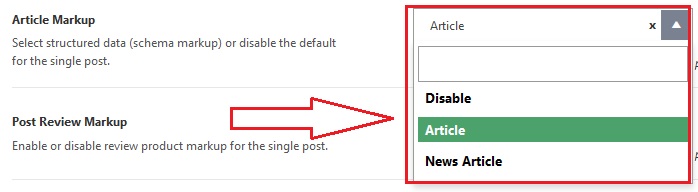
- Article Markup: Select structured data (schema markup) or disable the default for the single post. Disable this option if you want to use a 3rd party SEO plugin.
- Post Review Markup: Enable or disable review product markup for the single post. Disable this option if you want to use a 3rd party SEO plugin.
- Live Blogging Markup: Enable or disable LiveBlogPosting markup for the live blogging post. Disable this option if you want to use a 3rd party SEO plugin.
Google Search Date
According to some recent buyer requests wanting to display the update date on Google search, we’ve added an option called “Show Updated Date on Google Search”. This approach is not official and essentially involves manipulating all datePublished (“date Publish”) values to match the dateModified (“date Update”) when you activate this option.
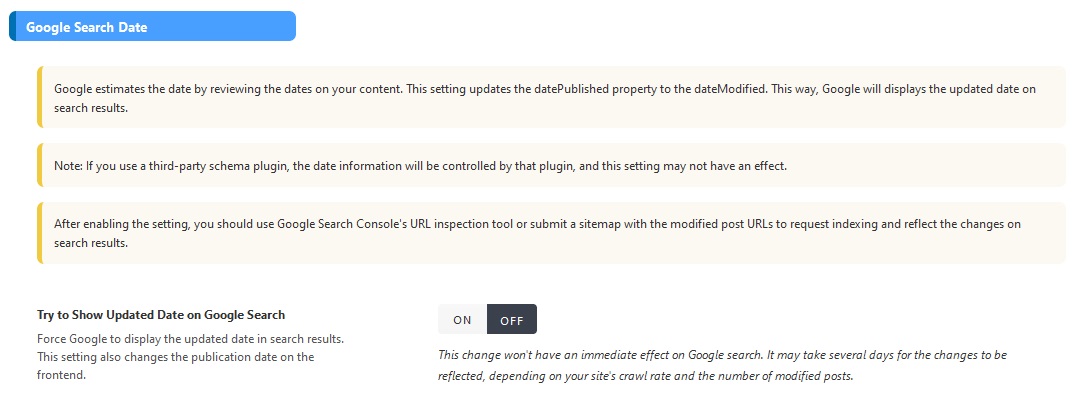
For the Google Search Date: you can click on this link to find more detailed information: Try to Show Updated Date on Google Search
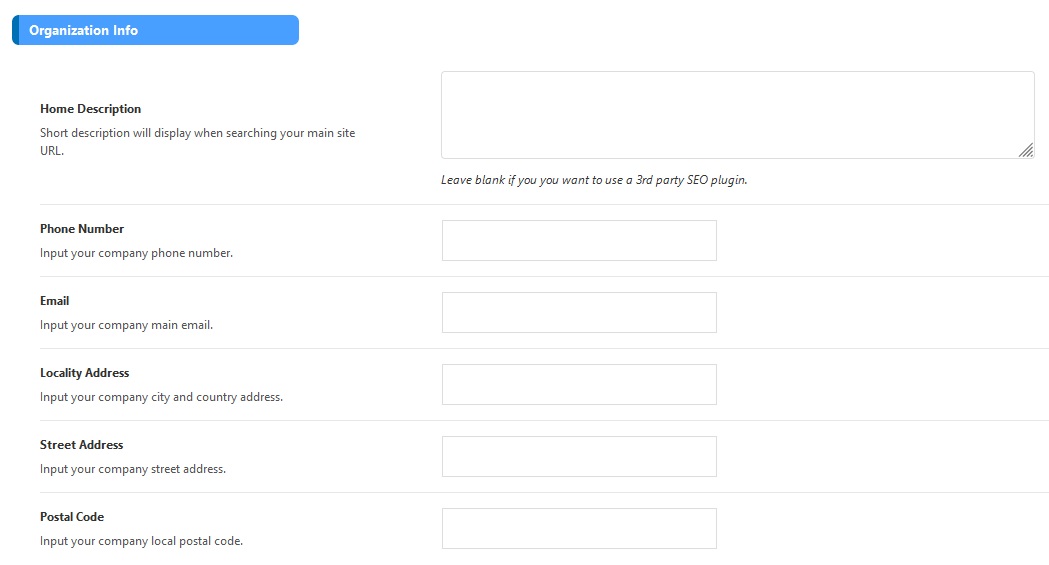
Organization Info
The options will display the description when searching your main site URL. Leave these options blank if you want to use a third-party SEO plugin.
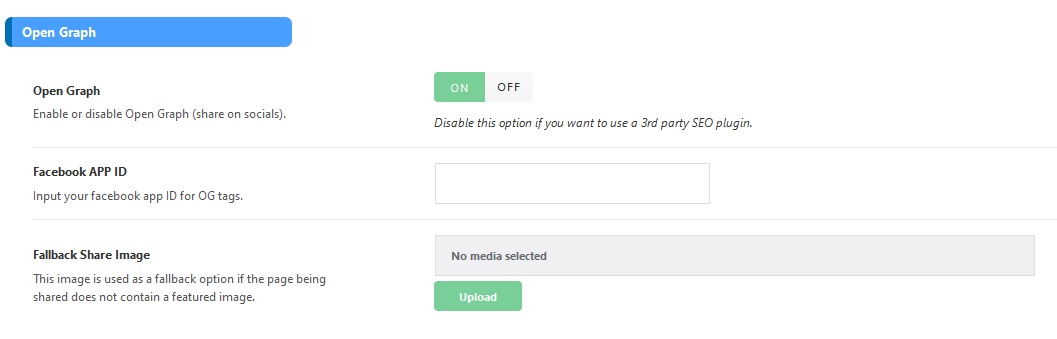
Open Graph
You can activate or deactivate the Open Graph feature, which allows content to be shared on social media platforms. If you wish to utilize a third-party SEO plugin for enhanced functionality, you can choose to disable this option.
How to Choose Between Structured Data Types: Opting for Article or NewsArticle
Try to Show Updated Date on Google Search
