
This feature enables the display of categories, tags, and taxonomies with their respective links. Users can easily navigate their websites, enhancing user experience and interaction.
To get started, follow the steps below:
- Navigate to Pages > All Pages.
- Select a page you would like to edit or add a new page, and click on the “Edit with Elementor” link.
- The website will redirect to another URL and the panel will appear on the page. Then you can search “Quick Links” blocks in the Elementor.
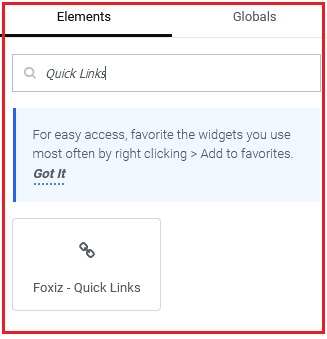
- After you search “Quick Links“, you can drag and drop blocks inside.
- Click on the “Content” tab.
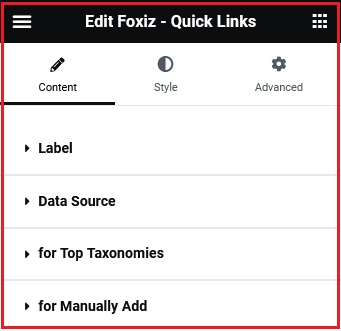
- Data Source: In this section, you can choose the data source to display Quick Link data.
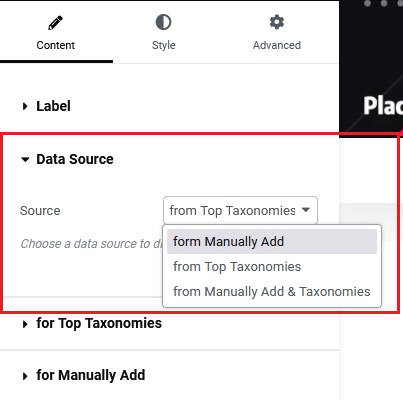
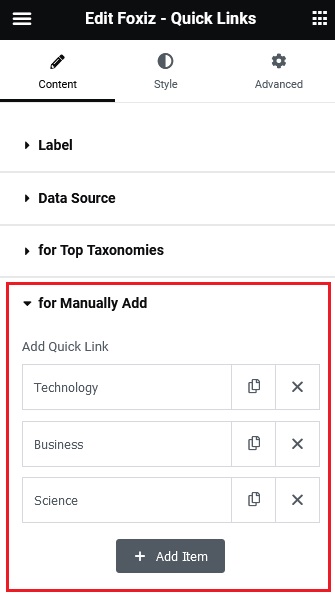
From Manually Add: This option allows you to add links by manually inserting them in the “for Manually Add” section below.
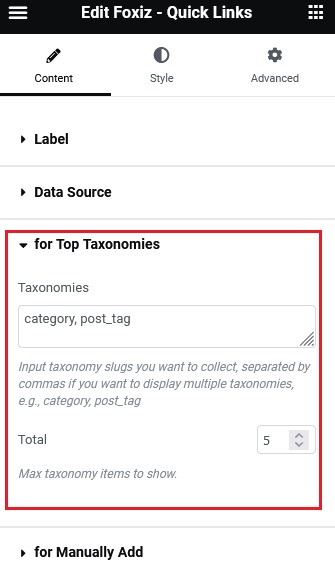
From Top Taxonomies: This option only shows the top taxonomies (taxonomy has many posts) after inputring the taxonomy slugs in the “for Top Taxonomies” section below.
From Manually Add & Taxonomies: This option allows you to display both methods for presenting data sources.
