
Foxiz supports video post format. It’s perfect if you have a video and you want to replace the featured image and show it at the top of your post.
Available video hosted the theme is supported:
- Vimeo
- Youtube
- DailyMotion
- iframe embed
- Self-hosted video
- Other hosts are supported by WordPress core.
To create a video post, follow the steps below:
- Navigate to Post > Add New
- Select “video” at the format box (the right of the screen).

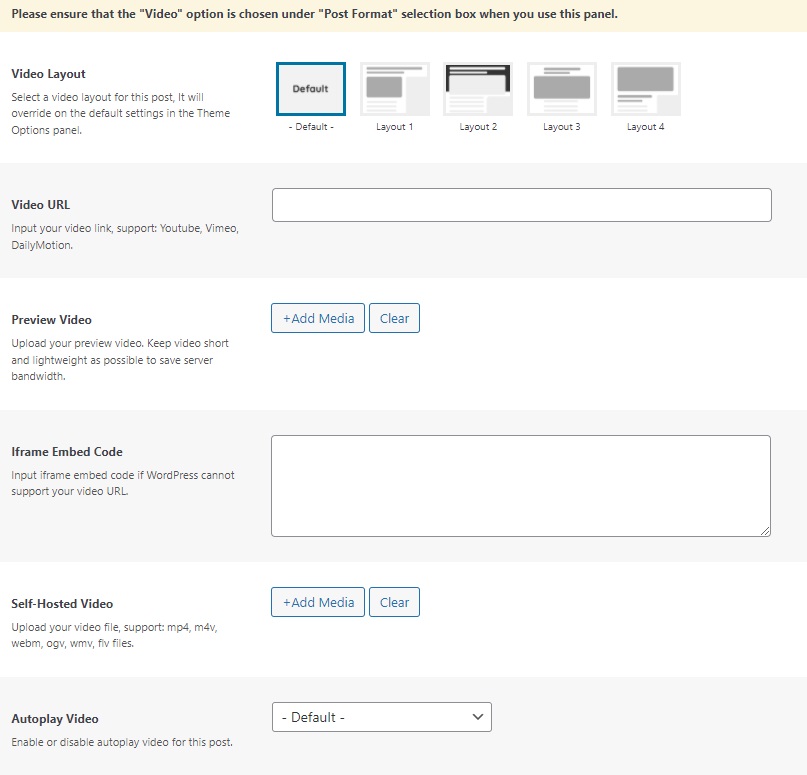
- Scroll down the page to find “Post Options”, then select the “Video Format” tab.
- Input the video URL or you can upload your video.
- Update/Save/Publish button to save the changes.
