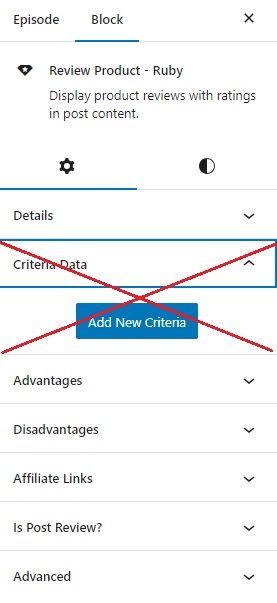
This option allows you to quickly calculate an overall rating for a product without the need to create individual evaluation criteria. Just provide general information about the product and the Total Score. This saves you time and effort, enabling you to swiftly gain an overview of the product’s quality.

To getting started, Follow the steps below:
- Go to your website’s Dashboard, and then select “Posts” followed by “All Posts“
- On this page, you have the option to either craft new posts or modify your current ones, which will lead you to the Gutenberg editor.
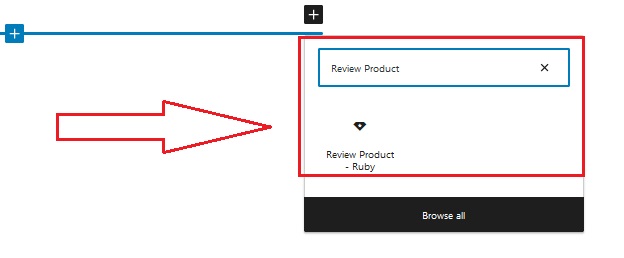
- Within the Gutenberg editor, you can search for blocks using the keyword “Review Product” Subsequently, you can easily integrate these blocks into your content.
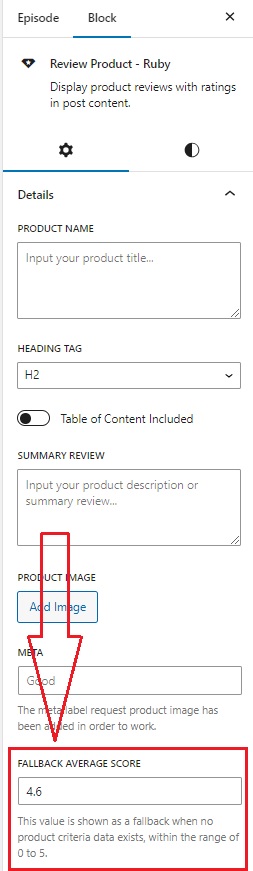
- After adding the “Review Product” block, you will notice the settings on the right side of the screen. Within this section, you’ll find the option called “FALLBACK AVERAGE SCORE” where you can simply input your total review score.
- Then, input your other information and skip the Criteria Data option.