
Foxiz supports the gallery post format. It is perfect if you want to show a gallery slider at the top of your post.
Creating a gallery post, The way is similar to creating a video or audio post. follow the steps below:
- Navigate to Post > Add New.
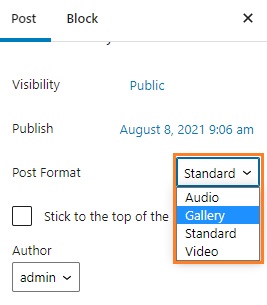
- Select “Gallery” at the format box (the right of the screen)
- Upload a “Featured Image” for this post.
- Scroll down the page to see the “Post Options” panel, select the “Gallery Settings” tab.
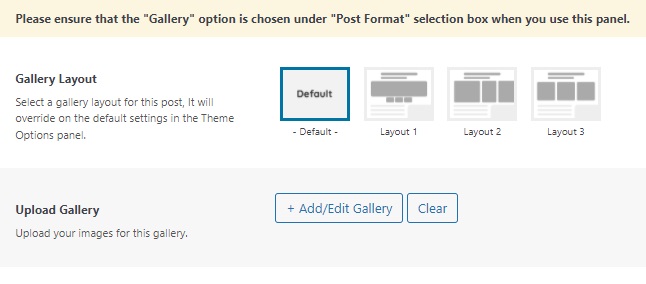
- Select a gallery layout under the “Gallery Layout” option.
- Select images to display for the gallery, under the “Upload Gallery” option.
- Update/Save/Publish button to save the changes.
