
Normally, the main Review block will be displayed at the end of the post content. With this feature, you can manually control the display of the Review Box anywhere within the content using a shortcode.
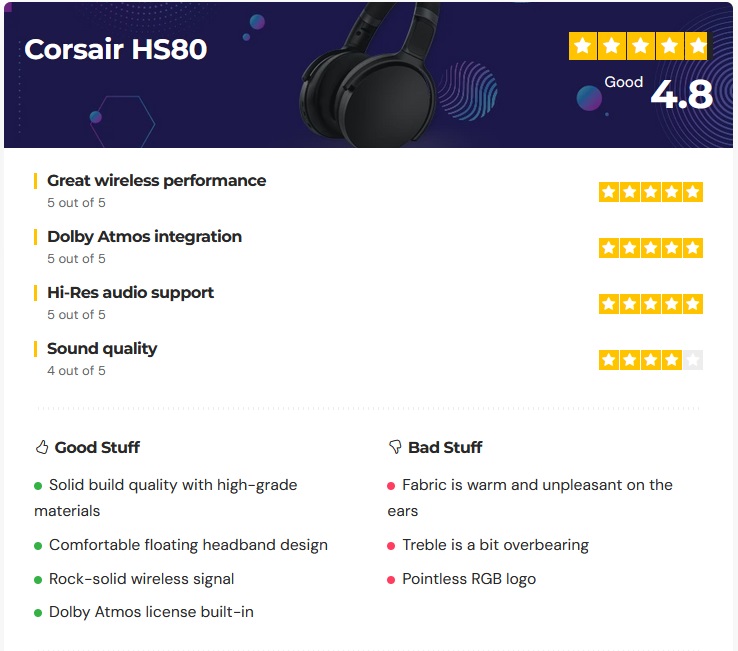
To control Review Box position manually, you can put the shortcode below into your post content where you want the Review Box section to appear.
[ruby_review_box]
To create a review post, follow the steps below:
- Navigate to Post > Add New
- Scroll down the page to find the “Single Post Settings” panel, select the “Review” tab.
- Select the “Enable” option in the “Post Review”.
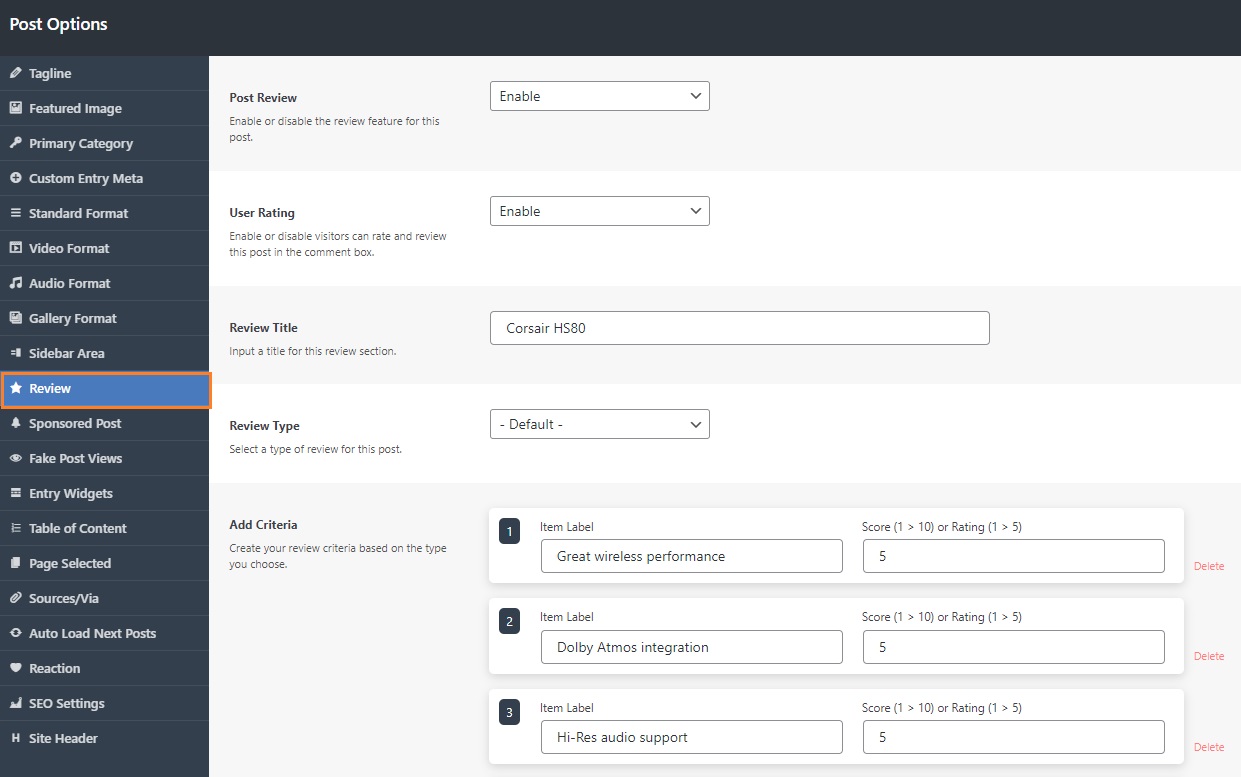
- Input labels, the value of the stars.
