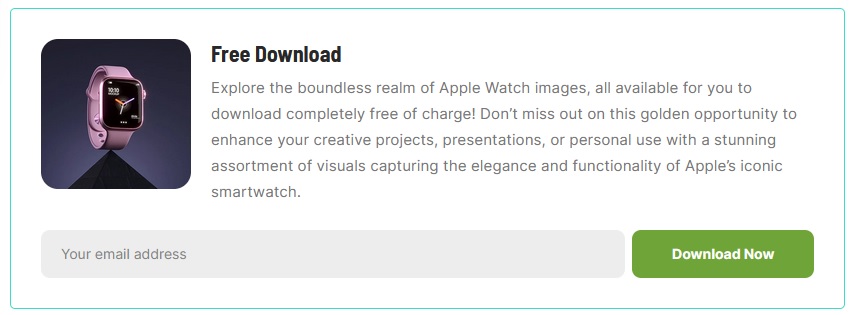
This block allows you to offer free downloads in exchange for email subscriptions. Seamlessly integrate with Mailchimp, making list-building efficient.
To collect a list of subscribing emails, please ensure that you have installed the MailChimp plugin for WordPress: https://wordpress.org/plugins/mailchimp-for-wp/
For adding Gutenberg blocks, you can refer to this documentation: https://help.themeruby.com/foxiz/how-to-use-gutenberg-blocks/
After installing the Mailchimp for WordPress plugin, to select a list on Mailchimp when a user subscribes for download, please follow the steps below:
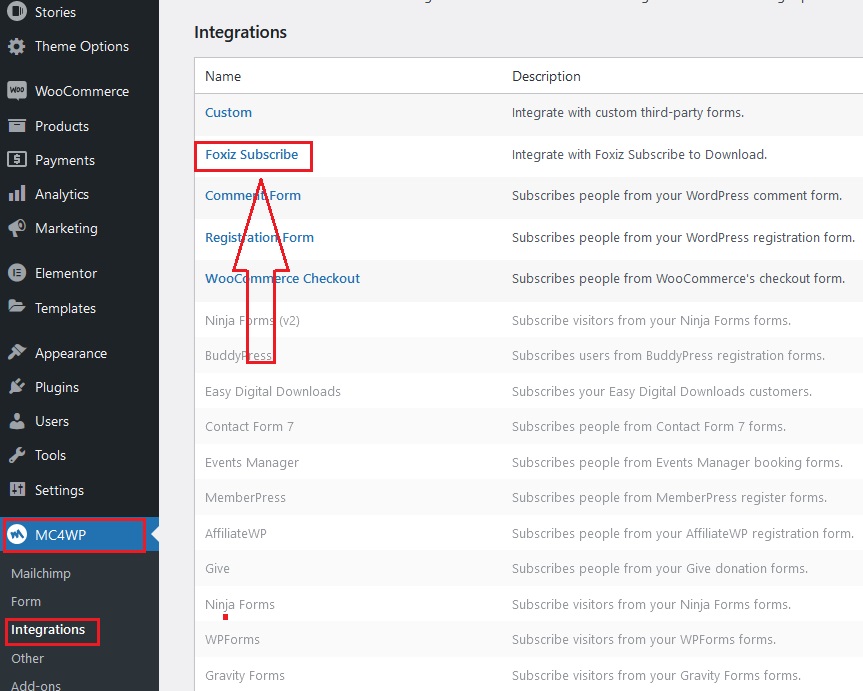
- Navigate to MC4WP > Integrations > Foxiz Subscribe
- Once you’ve reached this section, you can simply click on “Foxiz Subscribe”
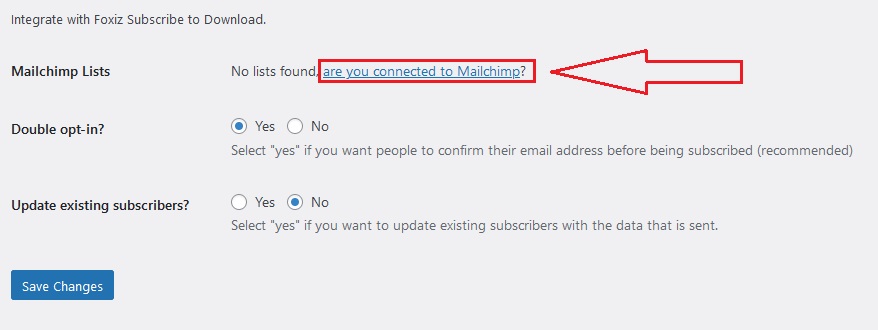
- The browser will redirect to the Foxiz Subscribe page. Here, you can refer to the Mailchimp Lists section to see if you already have a list connected to Mailchimp. If not, it will display a notification as shown in the screenshot below, and you should click on the text “are you connected to Mailchimp?” to set up the necessary requirements to connect your list.