
If you are looking to add your short biography to the Foxiz – Widget Social Icons/About widget. It requires few rows of HTML code.
To getting started, Follow the steps below:
-
- Navigate to Appearance > Widgets.
- Drag and drop the Foxiz – Widget Social Icons/About to a sidebar section you wish. You can refer to Editing Sidebars and Widgets for further information.
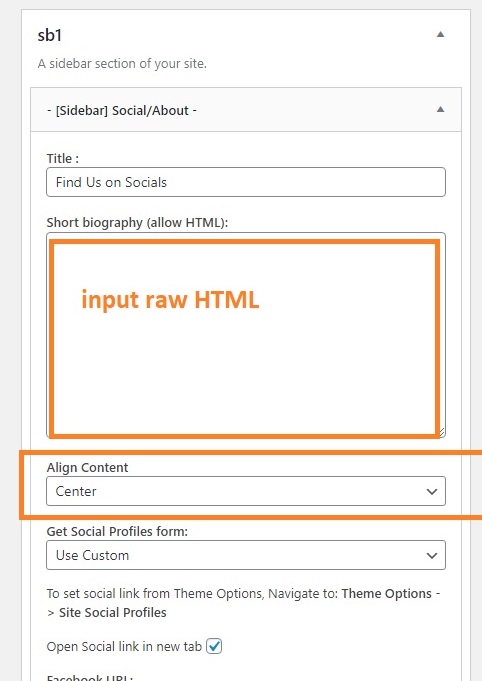
- Select the Center option under the Align Content option.
To get your image attachment URL: you can refer to How to get attachment image URL?
