
You can create an Elementor template and then assign it to the Elementor page.

To get started, follow the steps below:
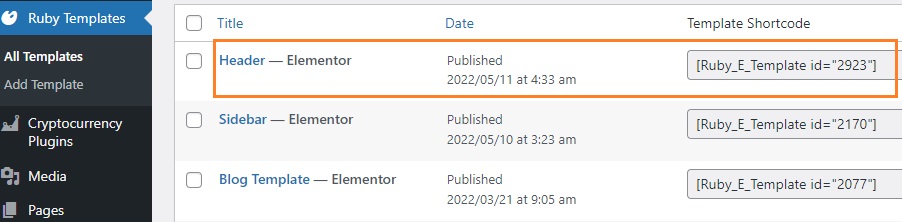
- Create your template and copy it’s a shortcode, navigate to Dashboard > Ruby Templates. To create a template, you can refer to this documentation: Ruby Templates
- Navigate to Pages > All Pages
- Then select the page you want to edit and click on the edit link
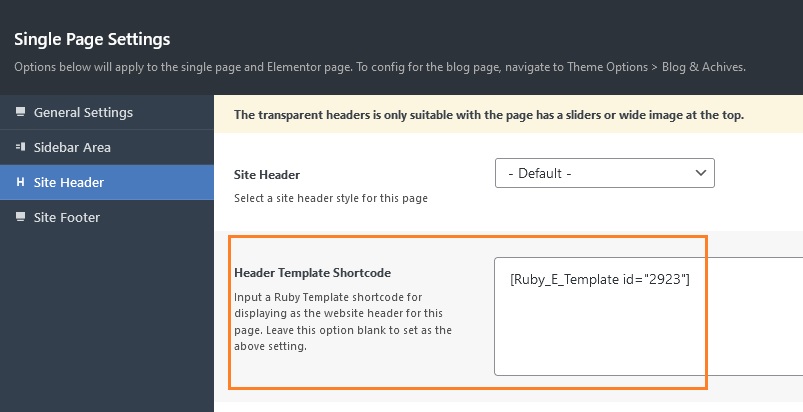
- In the editor page, scrolling down to the bottom to find Single Page Settings
- Select Site Header tab
- Input a Template Shortcode for displaying as the website header.
- Click save changes.
