
Foxiz use 1240px grid layout. So to ensure that the page content width fit with the header and footer, You need to setup the global layout for your page when you starting to build a homepage.
Setting up the page exactly as the below
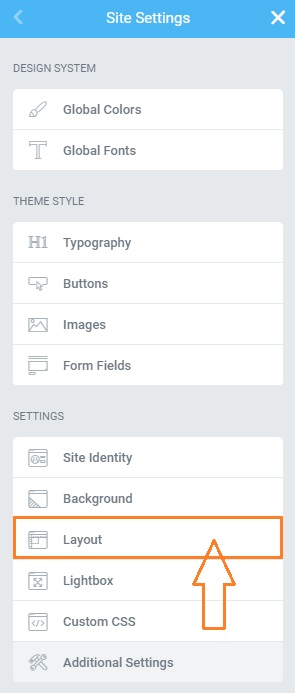
- From any Elementor page or post editor, click the hamburger menu in the upper left corner of the Widget Panel, then navigate to Site Settings > Settings > Layout
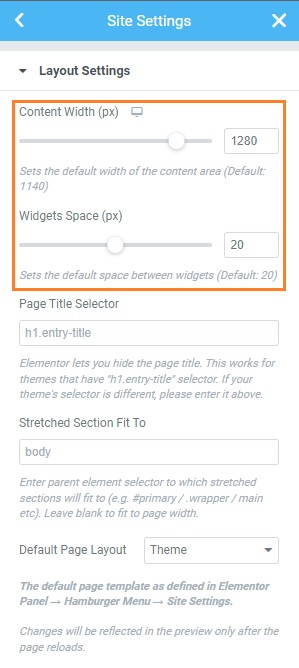
- Under the “Content Width” input this value 1280 and the “Widgets Space” input this value 20.
- Click “Update” to save your changes.
- After then, You can search and build any layout. Refer to the plugin documentation for further information.
Total 1280px : content width 1240px and edge padding 20px
For further information, You can refer to the plugin documentation here: https://elementor.com/help/global-layout-settings/
