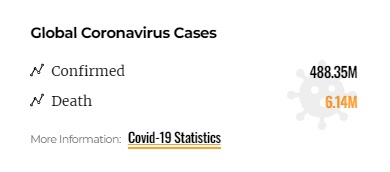
Covid Data Tracker feature allows you to track the worldwide spread of this pandemic.
To get started, follow the steps below:
- Navigate to Pages > All Pages.
- Select a page you would like to edit, click on the “Edit with Elementor” link.
- The website will redirect to another URL and the panel will appear on the page. Then you can search “Covid Data Tracker” blocks in the Elementor.
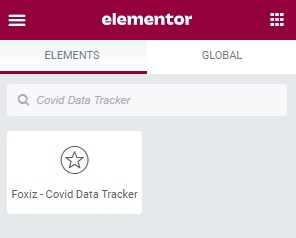
- After you search “Covid Data Tracker”, you can drag and drop blocks inside.
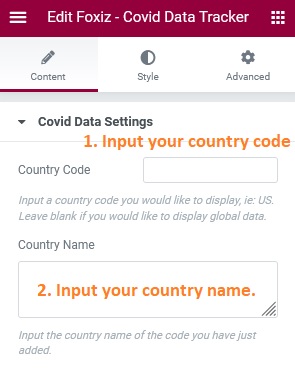
- Input a “Country Code” you would like to display.
- Input your “country name”.